Printing &
Framing Guide
Congratulations on your award. Your certificate is a high-resolution digital file, ready to print. Here is why we send it that way, and how to frame it so it looks its best on your wall.
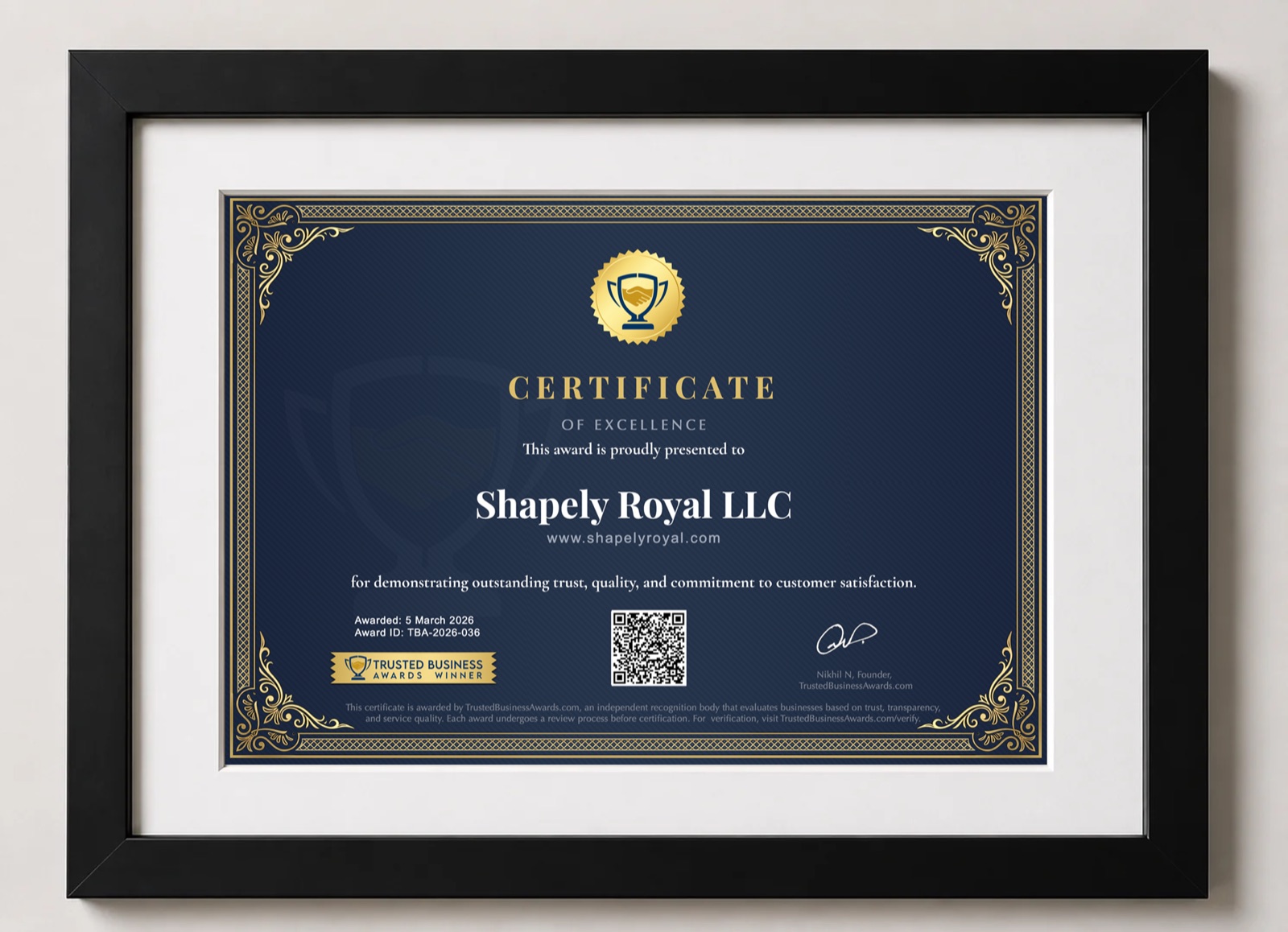
Why We Send Your Certificate Digitally
We chose digital deliberately: it is faster, more flexible and better value for you than a single posted copy.
In your hands within the hour
Your certificate arrives by email, usually within an hour of approval. A posted certificate can take weeks depending on where you are, and paper does not always survive the journey uncreased.
Print as many as you like
One file covers every location: each office, the reception desk, a trade-show stand, a vehicle or a pull-up banner. Print it small for a desk or large for a wall — it is yours to resize.
Costs you almost nothing
A home printer with glossy paper does a good job. A print shop will typically charge around $2–3 a copy on premium card. There are no shipping or customs fees.
Never lost, never damaged
If a print fades, gets damaged or is lost in a move, print a fresh one. The QR code on every copy links to your live verification page, so anyone can confirm it is genuine with a single scan.
Printing Your Certificate
Size
The file is made for A4 landscape (297 × 210 mm / 11.7 × 8.3 in) at full print quality, so A4 paper takes it edge to edge with nothing cropped.
- A3 (twice the size) also prints crisply — great for a feature wall.
- US Letter works too: choose “Fit to page” and you will get a slim white border top and bottom, which a mat will hide.
- Banners, standees and vehicle decals are viewed from a distance, so a print shop can enlarge the same file. Keep the original proportions and never crop out the QR code.
Paper & settings
- Heavy photo or card stock, around 200–300 gsm (roughly 65–110 lb cover).
- Satin or lustre finish if it will sit behind glass, since it reduces glare; gloss if you want the colours to pop.
- Highest quality setting, and “Actual size” or “Fit to page” — never “Fill”, which trims the edges.
Choosing a Frame
The navy and gold artwork suits a simple, solid frame. Avoid busy or ornate mouldings — let the certificate’s own gold border do the decorating.
Frame size
A 30 × 40 cm (or 12 × 16 in) frame with a mat cut for A4 gives the gallery look in the photo above. Many shops sell these ready-made as “A4 matted frames”.
A plain A4 document frame holds the print edge to edge — neat and compact for desks and smaller walls.
An 11 × 14 in frame matted for 8.5 × 11 works, or ask a frame shop to cut a mat to fit. Either way, the mat hides the thin paper border.
Frame colour
We would steer clear of bright silver, which fights with the gold accents.
Mat
A white or off-white mat, about 5–8 cm (2–3 in) wide, is classic and bright. For a more premium finish, try a navy or black mat with a thin gold inner edge.
Glass
Standard glass is fine. For a sunny reception area, choose UV-protective, anti-glare glass or acrylic: it keeps the navy from fading and lets phones scan the QR code without reflections.
Where to buy
Ready-made frames are widely available from IKEA, Amazon, Target, Walmart, Michaels and Hobby Lobby, and typically cost $15–40. A local custom framer will cut a mat and glass to your exact print, usually for $60–150 or more depending on materials.
Displaying It Well
Where customers wait
Behind the front desk, in reception or beside the checkout — where customers spend a moment and look around.
At eye level
Hang it with its centre about 145–150 cm (57–60 in) from the floor, the height galleries use.
Scannable
Keep the QR code clear of glare and reachable, so a curious customer can check it is genuine in seconds.